June 29th, 2026

This release focuses on expanding AI capabilities, improving automation workflows, and delivering a more intuitive platform experience. Businesses can now leverage smarter AI memory, deploy AI Agents over phone calls, streamline lead management with Odoo, automate appointment-based journeys, and enjoy a more guided onboarding experience across the platform.
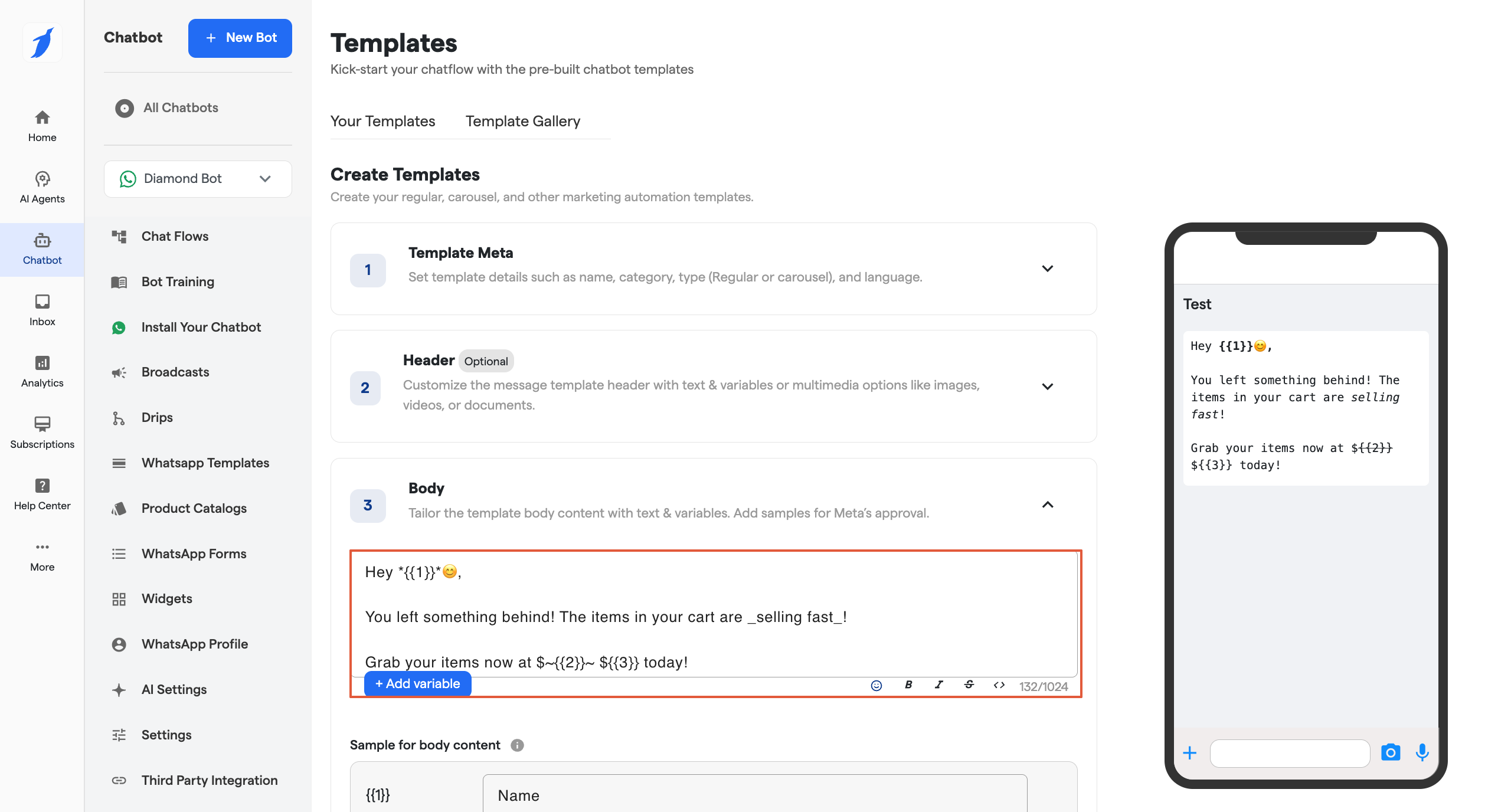
AI Agents and chatbots can now remember previous conversations and customer information for more personalized interactions. Businesses can choose between Mem0 or BotPenguin's native in-memory option based on their requirements.

Website and WhatsApp Chatbots can now be integrated with Odoo CRM, making it easy to capture leads and keep customer data synchronized.

AI Agents can now be deployed using phone numbers, allowing customers to call AI Agents, and enabling businesses to initiate calls directly from the Inbox. Supported providers include both Twilio and Plivo.

The Canvas Builder has been refreshed with a cleaner interface and improved usability. The Install Bot button has been moved to the bottom action bar, Classic Builder is now accessible from the bottom toolbar, and new components can be added directly using the "+" button on the canvas, making bot building faster and more intuitive.

The Website Bot installation flow has been redesigned with a cleaner interface, making it easier to complete setup and deploy bots on websites.

The Google Appointment component is now available for Instagram and Facebook bots, and drip campaigns can now be triggered automatically based on appointment scheduling events.

Interactive product tours are now available across key modules, helping new users explore features faster and get started with confidence.

π‘ We Value Your Feedback
Help us keep improving! Share your thoughts at: https://updates.botpenguin.com
π§ Need assistance with this update?
Access instant support via our Support Bot
Explore our Help Center for detailed guides

June 16th, 2026

This release focuses on improving customer engagement and conversation flexibility on Instagram. Businesses now have greater control over how AI Agent conversations begin, helping create more natural customer interactions while delivering a more tailored messaging experience across Instagram conversations.
Businesses can now choose whether conversations begin with a predefined message or allow the AI Agent Component to respond immediately, providing greater flexibility in designing customer interactions and creating a more seamless engagement experience on Instagram.

π‘ We Value Your Feedback
Help us keep improving! Share your thoughts at: https://updates.botpenguin.com
π§ Need assistance with this update?
Access instant support via our Support Bot
Explore our Help Center for detailed guides
June 9th, 2026

This release focuses on improving platform reliability, security, account management, and integration flexibility. Customers can now access a broader range of AI models through a single integration, secure their accounts with Multi-Factor Authentication, benefit from a more resilient subscription experience, and gain greater flexibility in how bots are managed and presented to end users.
Multi-Factor Authentication is now available across the platform. Accounts can be secured using either email verification or an authenticator app, providing an additional layer of protection against unauthorized access.

Help Doc: Multi-Factor Authentication
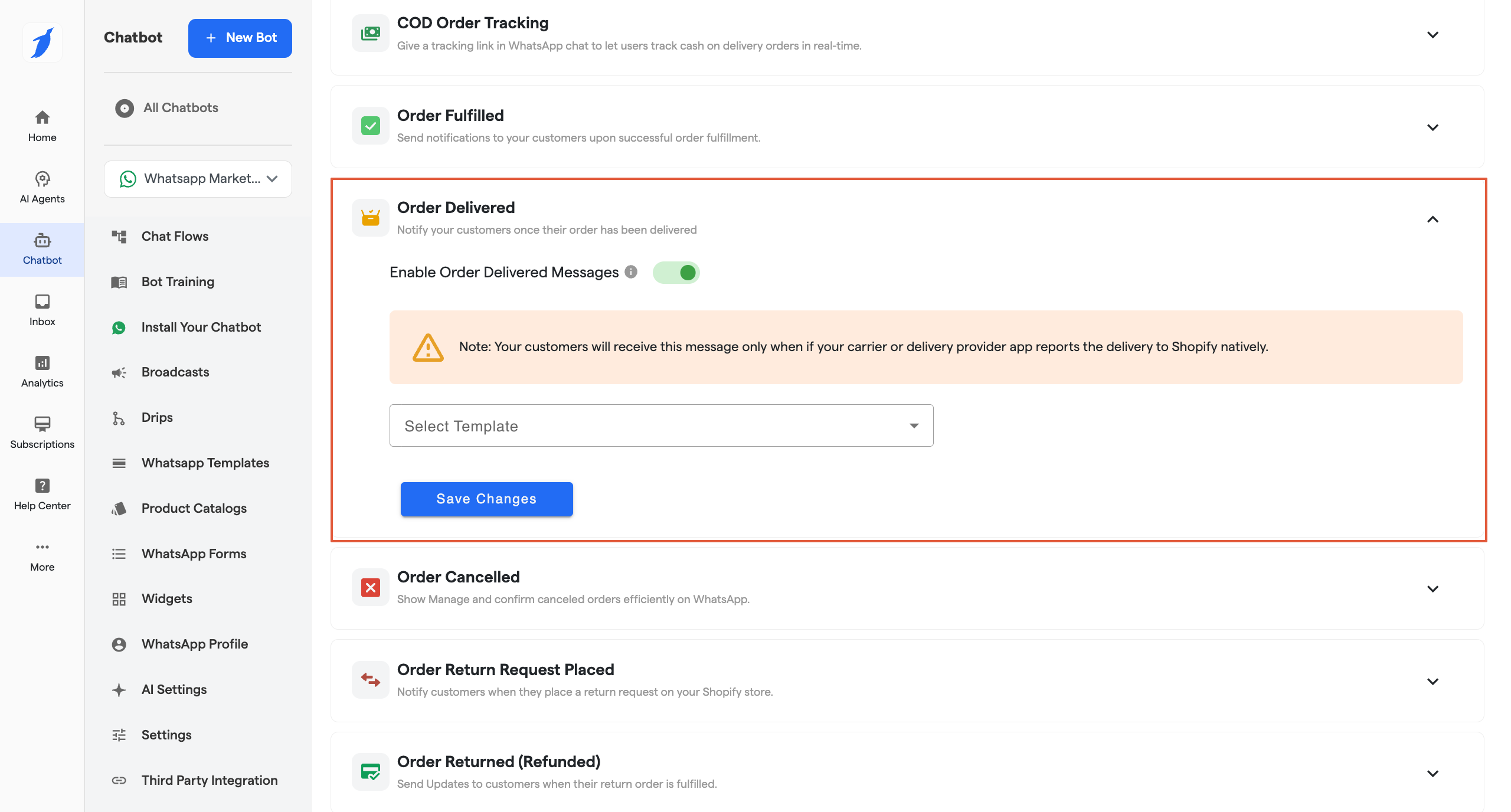
The subscription renewal experience has been enhanced with automatic payment retries and proactive email notifications to help prevent service interruptions caused by failed renewal payments. Active subscriptions retain a payment method to support uninterrupted renewals.

OpenRouter is now available as a new AI integration option, providing access to multiple leading AI models through a single connection. This makes it easier to switch between models without managing separate integrations.

Website Bot names used for internal management can now be different from the names displayed to end users. This provides greater flexibility in organizing bots while maintaining a consistent customer-facing experience.

The GoHighLevel integration setup process has been streamlined, making it easier to connect accounts and maintain reliable integration workflows with fewer setup-related issues.

π‘ We Value Your Feedback
Help us keep improving! Share your thoughts at: https://updates.botpenguin.com
π§ Need assistance with this update?
Access instant support via our Support Bot
Explore our Help Center for detailed guides
May 22nd, 2026

This release introduces improvements across website training and overall platform usability, making it easier to keep website training updated and manage URL-based training workflows more efficiently.
Website training is now easier to keep updated. Users can schedule automatic refreshes for website URLs, upload training URLs through CSV/XLSX files, train multiple single URLs together, and exclude specific sub-sections from full website training whenever needed.

π‘ We Value Your Feedback
Help us keep improving! Share your thoughts at: https://updates.botpenguin.com
π§ Need assistance with this update?
Access instant support via our Support Bot
Explore our Help Center for detailed guides

May 13th, 2026

This release introduces better broadcast recovery and retry management, making it easier to identify failed recipients and take corrective actions directly from broadcast insights.
You can now view detailed failure reasons for failed broadcast recipients directly from broadcast analytics. Failed messages can be retried individually or in bulk, and failed recipient lists can be exported for further analysis or re-engagement.
Additionally, exported failed recipients can now be reused to create a new broadcast campaign, helping streamline follow-up communication workflows.

π‘ We Value Your Feedback
Help us keep improving! Share your thoughts at: https://updates.botpenguin.com
π§ Need assistance with this update?
Access instant support via our Support Bot
Explore our Help Center for detailed guides
May 6th, 2026

This release focuses on improving visibility within the Inbox, enhancing payment handling, and strengthening webhook tracking and email consistency.
βοΈDetailed Message Status & Error Visibility in Inbox βοΈ
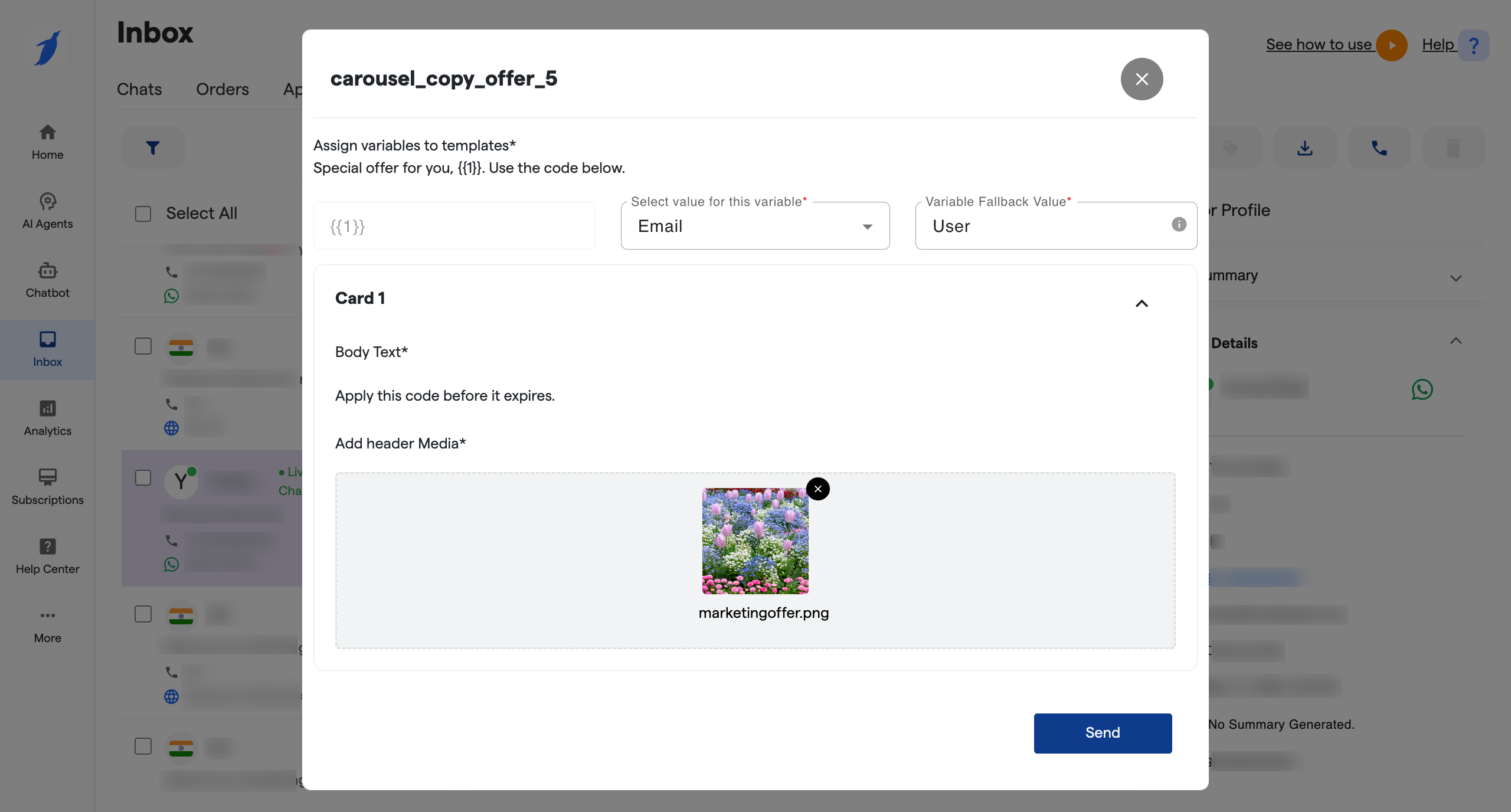
You can now clearly see message status for WhatsApp bots, including whether a message is sent, delivered via Meta, or failed. For failed messages, you can click on the message status in the Inbox chat window to view detailed error codes.

π΅Enhanced Payment Flow Handlingπ΅
Payment links from gateways are now handled through the Weblink component instead of appearing as regular messages, making the payment flow more structured and consistent.

π§Updated Welcome Email Brandingπ§
Updated the content of welcome emails to refine messaging and improve clarity, while continuing to reflect partner branding such as logo and sender details for white-label partners.
π‘ We Value Your Feedback
Help us keep improving! Share your thoughts at: https://updates.botpenguin.com
π§ Need assistance with this update?
Access instant support via our Support Bot
Explore our Help Center for detailed guides
April 28th, 2026

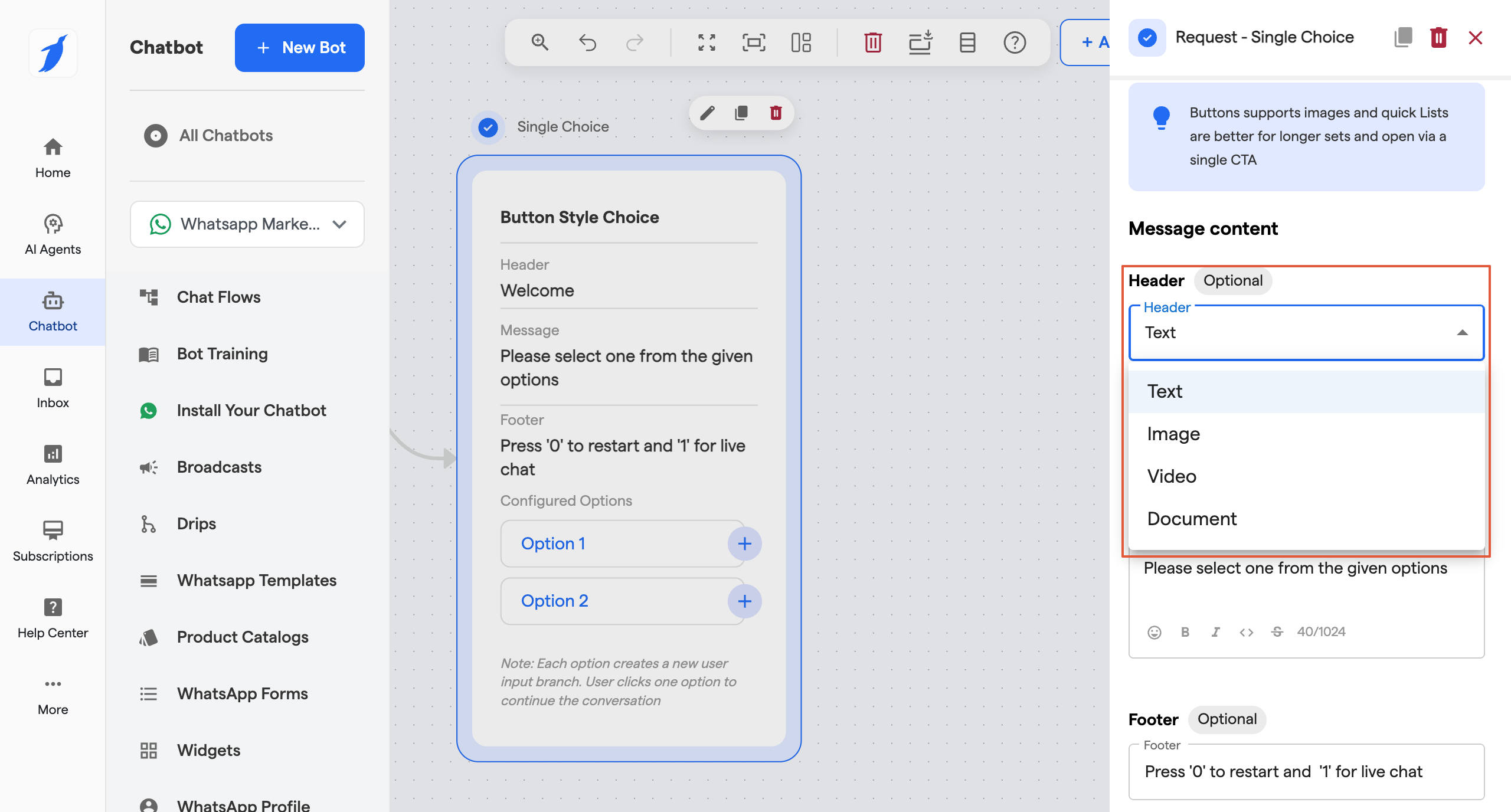
This release introduces new flexibility in billing and integrations, along with improvements to chat handling and workflow management.
You can now manage invoices either within BotPenguin or through a connected third-party invoicing app. This allows better alignment with your existing billing systems while keeping everything synchronized.

White-label partners can now create custom add-ons that are not tied to platform limits. These support monthly, yearly, and one-time billing, making it easier to package and monetize additional services.

You can now choose whether to include chat transcripts when exporting contacts. This helps reduce file size and ensures exports remain within limits when transcripts are not required.

Agencies can now receive customer data instantly upon signup, enabling real-time integrations and automated workflows.

You can now manage triggers more easily with an improved interface that follows the standard UI, along with better flexibility while updating trigger settings.
When a user sends a message directly via WhatsApp Business App during an active chatbot flow made via Coexistence, the system now seamlessly switches the conversation to live chat. This ensures messages are handled correctly and are instantly visible in the Inbox.
π§ Need assistance with this update?
Access instant support via our Support Bot
Explore our Help Center for detailed guides
April 22nd, 2026

This release focuses on improving integrations, expanding payment flexibility, and enhancing overall control and visibility across your automation workflows.
π³ More Flexible Payments with Payfast π³
You can now accept payments using Payfast for plan and subscription purchases. Eligible agencies can configure Payfast via the Integrations module, and it is also supported within WhatsApp payment flows where applicable, enabling more flexibility in how you collect payments. (Supports ZAR currency only.)

π Salla Integration π
Salla is now available as a new integration, allowing you to connect your bots with external commerce platforms and extend your automation workflows with additional commerce capabilities.

π Improved API Visibility with Logs π
A new Logs tab has been introduced within the 3rd party API section, giving you a centralized view of API activity. This helps you monitor integrations more effectively and troubleshoot issues with greater clarity.

π― Enhanced Demo Call Experience π―
Demo calls now support scheduling for future time slots, include real-time countdown visibility, and provide improved clarity on call timings. Additional tracking capabilities also help measure engagement more effectively.

βοΈ AI Agent Experience & Bot Settings Improvements βοΈ
Enhanced the AI Agent component within the canvas to align with plan-based availability. Also introduced improvements to Bot AI Settings and refined localization to provide a more consistent and streamlined setup experience.

π§ Google Translation API Optimization: π§
Moved Google Translation API configuration to the agency level. Agencies can now configure their own API key to enable chat translation functionality in the Inbox.

Help us keep improving! Share your thoughts at: https://updates.botpenguin.com
π§ Need assistance with this update?
Access instant support via our Support Bot
Explore our Help Center for detailed guides
April 13th, 2026

Weβre excited to bring a set of updates focused on simplifying AI configuration, improving bot onboarding journeys, and enhancing platform reliability. These changes are designed to make bot setup more intuitive, reduce friction, and ensure smoother operations across the platform.
π€ Unified AI Agent & Bot Experience π€
The chatbot now brings together bot and AI agent capabilities, enabling more human-like interactions within a unified experience.

Doc Link: AI Agent component in BotPenguin
π± Improved Bot Creation Experience (Instagram, Facebook, WhatsApp & SMS) π±
The bot creation and integration journey for Instagram, Facebook, WhatsApp and SMS has been enhanced to provide a smoother and more streamlined onboarding experience, covering setup, connection, and flow configuration.

Doc Link: Creating Bots in BotPenguin
π‘ We Value Your Feedback
Help us keep improving! Share your thoughts at: https://updates.botpenguin.com
π§ Need assistance with this update?
Access instant support via our Support Bot
Explore our Help Center for detailed guides
April 7th, 2026

Weβre excited to introduce a set of updates focused on improving data visibility, integration flexibility, and overall platform reliability. These changes are designed to make your workflows clearer, more customizable, and more consistent across the platform.
π§Ύ Custom Attributes Now Visible in Order Details
Custom attributes collected during chat flows are now displayed in the order details modal under Additional Information, making it easier to view complete order information in one place.

Doc Link: Order Section in Inbox
π Custom Redirect Support for Third-Party Integrations
Agencies can now configure their own Redirect URI while setting up integrations. This allows users to connect directly to their custom applications instead of being routed through the default flow.

Doc Link: Integrations in BotPenguin
π‘ We Value Your Feedback
Help us keep improving! Share your thoughts at: https://updates.botpenguin.com
π§ Need assistance with this update?
Access instant support via our Support Bot
Explore our Help Center for detailed guides