Release 3.8.3
AI Persona Management
The AI Persona feature enables users to create a distinct chatbot identity that aligns with their brand, improving engagement and user experience. Here’s a breakdown of its customization capabilities:
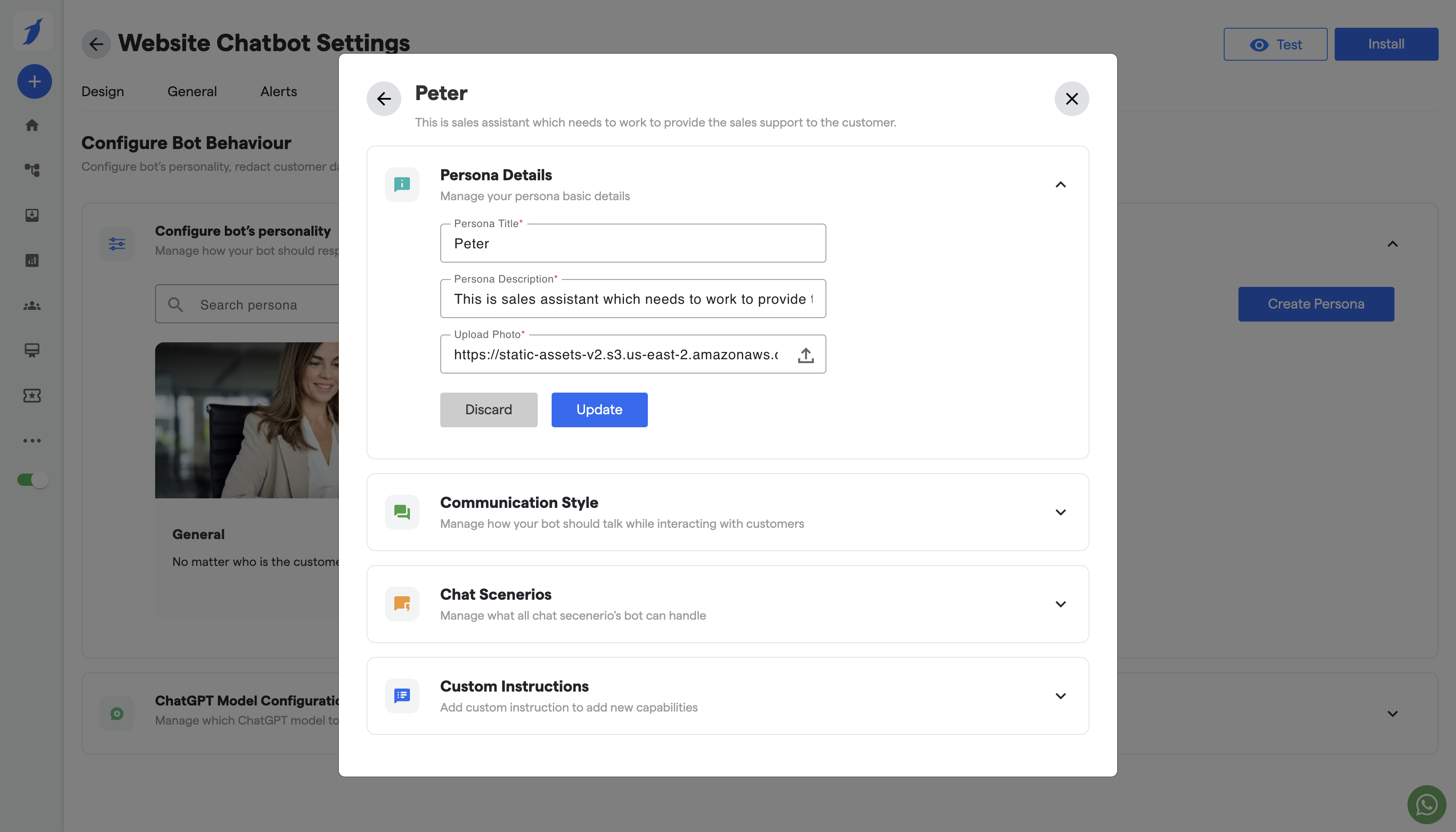
1. Persona Appearance
Custom Avatar/Visuals: Choose from available avatars or upload a unique visual representation of the AI persona.
2. Communication Style
The tone of Voice: Set a specific tone—friendly, professional, casual, formal, or humoristic—that resonates with the brand or user preferences.
Conversation Depth: Define response length and complexity, allowing responses to be concise or detailed as per user needs.
Language Customization: Support for multilingual responses or dialect adjustments to suit target audience localization.
3. Custom Instructions
If you want to add more to the persona, Give it your custom prompts.
4. Intent Recognition and Flow Triggers
Intent Detection: Allow the AI persona to understand user intents in real-time by leveraging pre-configured keywords, phrases, or machine learning models.
Automated Flow Triggers: Based on detected intent, trigger specific chat flows or responses tailored to the user's needs. For example:
Customer Support: Recognize issues like "order status" or "return policy" and automatically provide relevant information.
Sales Assistance: Detect buying signals and offer product recommendations or discounts.
Personalized Responses: Adapt the flow based on user data (if available), such as past purchases or preferences.
By using the AI Persona customization, BotPenguin users can create bots that deliver a tailored and cohesive experience, enhancing overall user satisfaction and engagement.